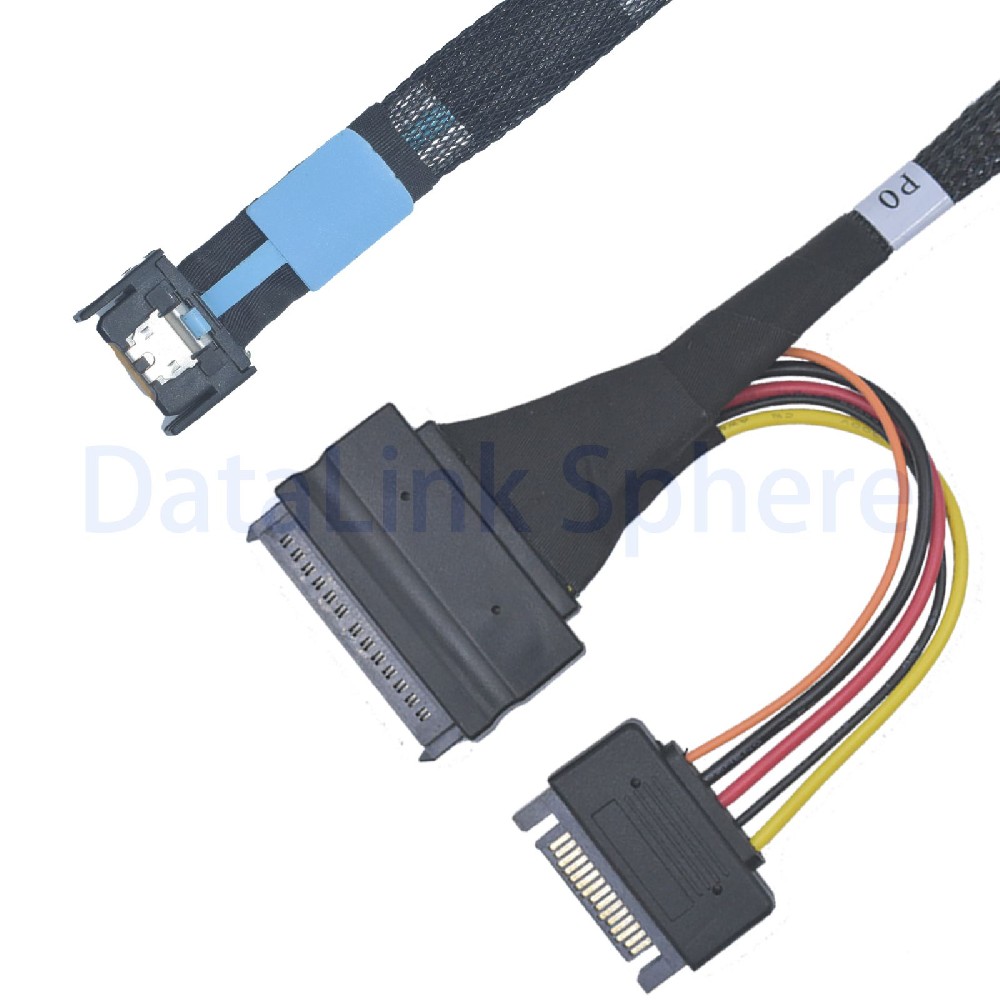
U.2 is commonly used for 2.5-inch enterprise NVMe SSDs connected through the SFF-8639 device interface. SNIA lists SFF-8639 as the Multifunction 6X Unshielded Connector specification, while SFF-TA-1001 defines a universal x4 link for compatible SFF-8639 drive bays. A connector that physically mates is not enough: lanes, protocol, sideband signals, power and host firmware must match.
What SFF-8639 Defines
SFF-8639 is a multifunction device connector used in 2.5-inch storage systems. In current market usage, U.2 usually refers to a PCIe/NVMe implementation using this connector. The wider connector family can support different system designs, so a backplane or cable should be selected from the host manual and pinout rather than appearance alone.
U.2 and U.3 Are Related but Not Identical
U.3 refers to an implementation conforming to the SFF-TA-1001 universal x4 link definition. It is intended for appropriately enabled systems, often with tri-mode controllers and compatible backplanes. A U.2 NVMe cable is not automatically a U.3 or SAS solution. Verify the controller, backplane, drive type and detection logic.
PCIe x4 and Link Generation
A U.2 NVMe SSD commonly uses up to four PCIe lanes. PCIe 4.0 operates at 16 GT/s per lane and PCIe 5.0 at 32 GT/s per lane. These are raw transfer rates, not application throughput guarantees. The negotiated generation depends on the entire channel: host, PCB, connectors, cable, adapter/backplane and SSD.
Power Is Part of the Design
SFF-8639 includes power-related contacts, but host-side cable systems provide power in different ways. Some assemblies include a separate power lead, some rely on a backplane and some route power from an adapter. Never assume a data-only MCIO, OCuLink, SlimSAS or MiniSAS host connector powers the U.2 SSD.
Common U.2 Connection Options
| Host side | Typical topology | Key checks |
|---|---|---|
| MCIO x4 | One x4 U.2 NVMe SSD | PCIe generation, pinout, clock, PERST#, power |
| MCIO x8 / OCuLink 8i | Two x4 U.2 SSD branches | x4+x4 bifurcation and sideband mapping |
| SlimSAS 4i / MiniSAS HD 4i | One x4 U.2 link when wired for PCIe | Protocol and exact signal map |
| M.2 M-key | One M.2 x4 host to one U.2 SSD | 2280 clearance, power lead, boot support |
Hot Plug, Boot and Dual-Port Operation
Hot plug is a platform-level capability requiring host, firmware, operating system, backplane, power sequencing and presence behavior. Boot support depends on BIOS/UEFI NVMe support. Dual-port enterprise SSD operation also requires a design specifically wired and managed for it; a passive cable cannot add those capabilities.
RFQ Checklist
- Host motherboard, server, HBA, adapter or backplane model.
- U.2 SSD manufacturer/model, generation and single/dual-port requirement.
- Host connector type, lane topology and exact pinout.
- Reference clock, PERST#, presence, SMBus and other sideband requirements.
- Power source, connector and hot-plug/boot requirements.
- Cable length, orientation, routing, sample quantity and production quantity.
Related U.2 Products
- PCIe 5.0 MCIO x4 to U.2 cable
- MCIO x8 to dual U.2 cable
- PCIe 5.0 M.2 to U.2 adapter
- U.2 cables and U.2 adapters
For a compatibility review, send the host and SSD models, pinout, lane topology, power plan, length and quantity through the RFQ form.
Technical references: SNIA SFF-8639 and SFF-TA-1001 index, SFF-TA-1001 universal x4 link and NVM Express specifications.