OCuLink is a compact cabled PCI Express interconnect used in storage, embedded systems, mini PCs and selected external GPU designs. SNIA publishes SFF-8611 for MiniLink 4/8X cable assemblies and SFF-8612 for the mating shielded connector. The connector family can carry high-speed serial links, but the OCuLink name alone does not guarantee a PCIe generation, lane count, power delivery, hot-plug function or device compatibility.
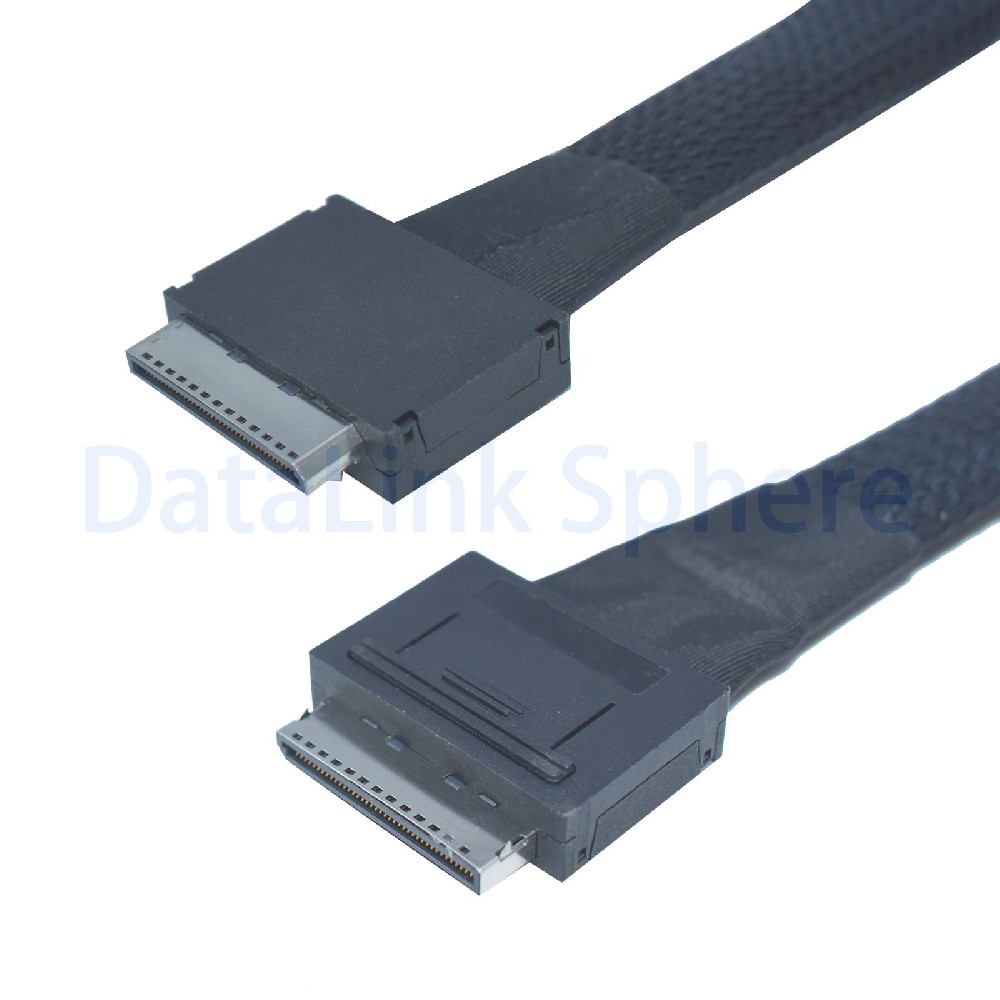
SFF-8611 and SFF-8612: What Is the Difference?
| Reference | Scope | What to check |
|---|---|---|
| SFF-8611 | MiniLink 4/8X free plugs and internal or external cable assemblies | Cable-end type, lane configuration, orientation, length and signal requirements |
| SFF-8612 | MiniLink 4/8X shielded connector and mating interface | Receptacle type, mechanical alignment, keying and host implementation |
Product pages sometimes use both references because a complete link includes the cable plug and the mating connector. Use the drawings and pinout from the host and endpoint rather than selecting from the specification number alone.
OCuLink 4i vs 8i
An OCuLink 4i implementation is commonly used for one x4 PCIe link. An 8i assembly can support one x8 link or two x4 branches when the host and downstream design provide the required mapping. The cable does not create lane bifurcation; the motherboard, adapter, BIOS and endpoint topology must support it.
PCIe 4.0 Performance
PCIe 4.0 operates at 16 GT/s per lane. Reaching the target generation depends on the complete channel, including the host connector, PCB traces, cable length, transitions, adapter or backplane and endpoint. Avoid treating an aggregate marketing number as a guaranteed application throughput.
Common OCuLink Topologies
OCuLink 4i Direct Link
A 4i cable is commonly used between compatible x4 host and endpoint ports. Confirm pinout, orientation, reference clock, PERST#, sideband signals and whether the cable is intended for internal or externally accessible routing.
OCuLink 8i to Dual U.2
An 8i cable can be designed as two x4 U.2 SFF-8639 branches for two NVMe SSDs. The host must supply the correct lane split and sideband mapping. U.2 devices also require a compatible power arrangement; the data cable alone does not power every implementation.
PCIe x4 to OCuLink Adapter
A PCIe x4 adapter can expose an OCuLink connector for storage or an externally routed PCIe endpoint. For eGPU projects, confirm host support, enclosure or dock compatibility, GPU power, cable orientation, operating-system behavior and the expected link width. Do not assume hot plug or universal GPU compatibility.
OCuLink, MCIO and SlimSAS Are Different Systems
These connector families may all carry PCIe in selected designs, but they are not mechanically interchangeable. A conversion cable is valid only when the pinout, lane map, clocking, sideband signals and power design match at both ends.
Information Required Before Ordering
- Host, mini PC, motherboard, adapter or backplane model.
- SFF-8611 cable-end style and SFF-8612 receptacle drawing.
- 4i or 8i lane topology and target PCIe generation.
- Endpoint type: U.2 NVMe SSD, backplane, GPU dock or other PCIe device.
- Pinout, reference clock, PERST#, sideband and hot-plug requirements.
- Cable length, internal/external routing, connector orientation and bend limits.
- Sample quantity, production quantity and validation evidence required.
Related OCuLink Products
- PCIe 4.0 OCuLink SFF-8611 4i cable
- PCIe 4.0 OCuLink SFF-8611 8i cable
- OCuLink 8i to dual U.2 SFF-8639 cable
- PCIe 4.0 x4 to internal OCuLink adapter
- PCIe 4.0 x4 to external OCuLink adapter
- Compare OCuLink cables
For a compatibility review, send the host drawing, endpoint model, pinout, topology, length and quantity through the RFQ form.
Technical references: SNIA SFF-8611, SNIA SFF-8612 and PCI-SIG PCIe 4.0 data rate.